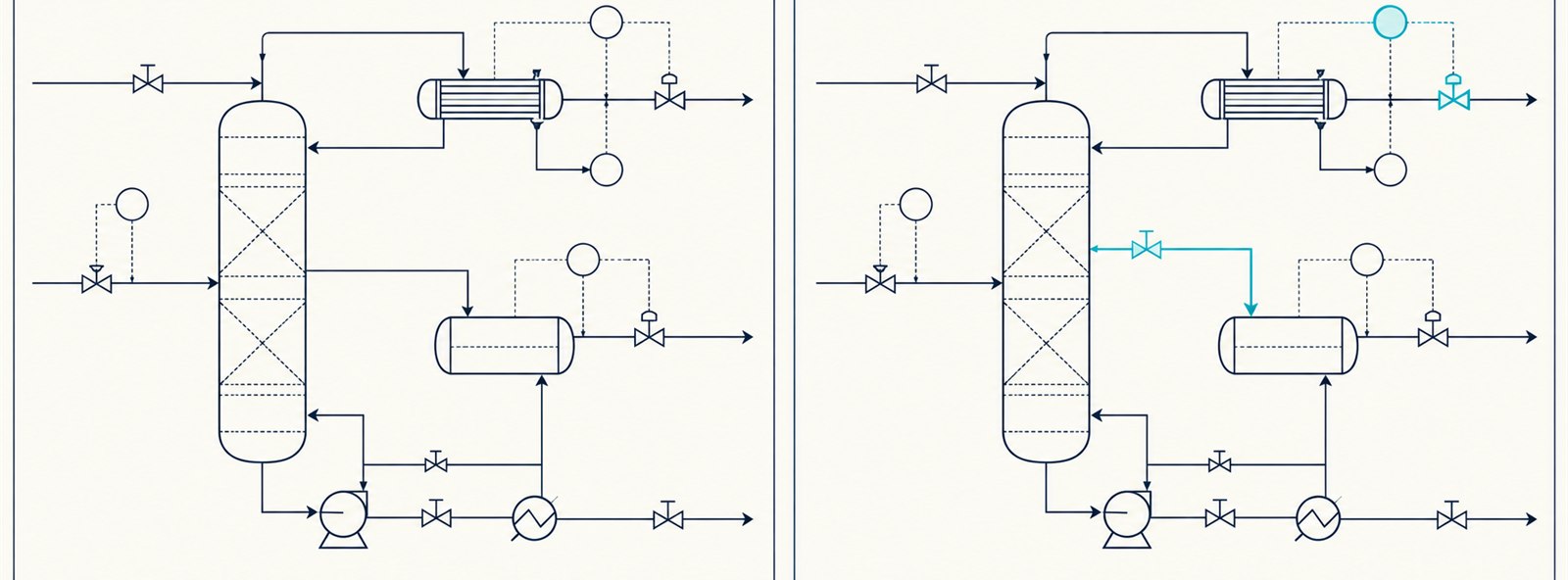
Confirm you are comparing the right sheets
Before finding differences, pair drawings by document number, sheet, revision, and issue date. Confirm that both versions cover the same scope and that any referenced continuation sheets are available. A shifted title block, changed plot scale, or unrelated layer visibility can create noise in a visual comparison.
Preserve copies of both controlled sources. If one version is a scan, align the sheet using stable registration points and verify a stated dimension before overlaying; otherwise, apparent movement may be a scan artifact.
Use visual comparison to find candidate changes
For DWG sources, AutoCAD DWG Compare highlights added, removed, and modified drawing objects with colors and revision clouds. It is useful for finding candidate regions to inspect. Autodesk documents important limits: DWG Compare works in model space, does not support images and several other object types, and cannot detect every nested block property change.
For raster PDFs, use a registered overlay or side-by-side review and treat highlighted differences as leads, not verified engineering changes. Scan noise, line weight, and page skew can all produce false differences.
Compare engineering identity and connectivity
Export a register from each structured P&ID revision when available. Compare objects by a stable ID where one exists, then review the displayed tag, object class, line number, size or spec, drawing location, and revision. A changed tag is not always a new component, and a moved label is not always a changed connection.
Review connection changes independently: line endpoints, branches, inline valves, off-page connectors, and flow direction. Plant 3D validation can flag non-terminating lines, unconnected components, flow conflicts, and unresolved off-page connectors in the current project. Those checks complement a revision diff; they do not tell you which earlier design decision was intended.
- Added or removed object: verify it exists or is absent on the controlled sheet.
- Changed tag: confirm whether identity changed or only its displayed label changed.
- Changed line: trace both endpoints and any affected branch or inline component.
- Cross-sheet change: check the matching off-page connector on the other drawing.
Produce a reviewable change log
For each accepted change, record old value, new value, source sheet and revision, affected object or line, and reviewer. Keep uncertain changes in a separate queue with a crop or coordinates from both drawings. The resulting log is more useful for a management-of-change review than an unannotated redline because it states what changed and where the evidence came from.